Pixel Streaming Session Limits: Password, Expiry and Timeout
Pixel streaming session limits explained: set a password, expire a link, cap session length and catch the 15-minute default before clients do.
 Rafshan Tashin
November 13, 2026
4 min read
Pixel streaming session limits decide how long a viewer stays connected and who gets in at all. Most teams never open these settings, then spend an afternoon debugging a crash that was really a timeout. Five settings cover the whole topic, and they all sit in one place.
Where the settings live
Open your app in the Control Panel, edit a stream link's configuration, and look at the Common tab. All five settings apply per configuration rather than per app, so one app can have a strict client link and a relaxed internal one.
The 15-minute default that looks like a crash
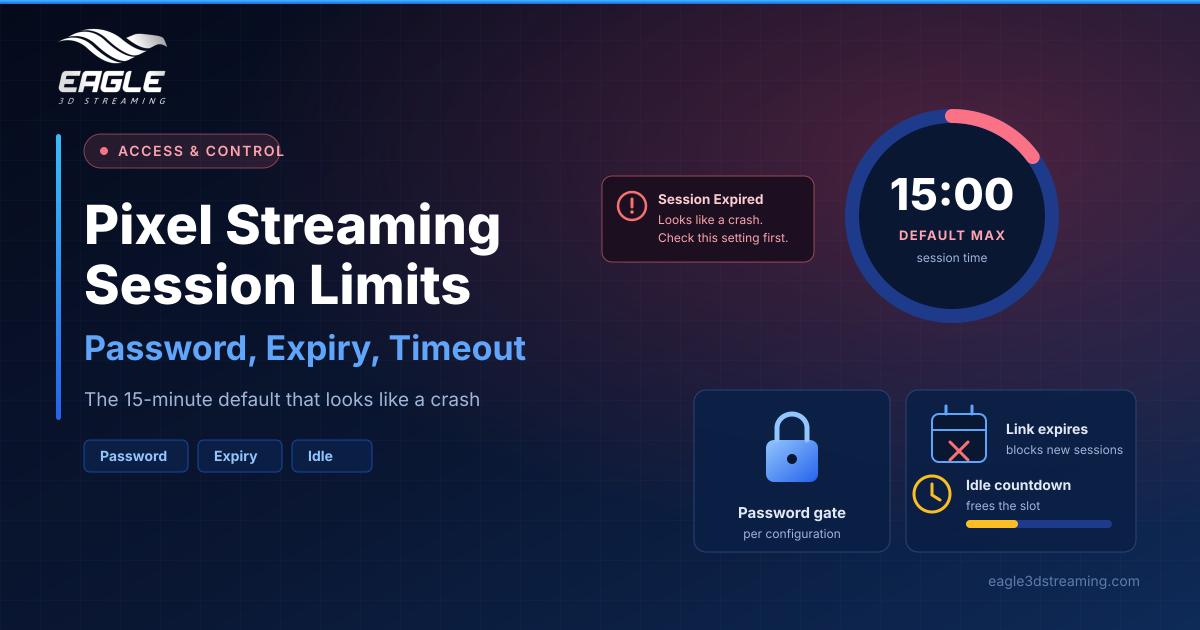
Max Session Time ends a running session once the limit arrives, even while the viewer is actively using the app. The default is 15 minutes, and an empty field uses 15 as well. Viewers then see a session-expired message rather than an error, which is why this setting causes so much confusion.
So check it before you blame your build. A session hitting its maximum time can look exactly like an app crash from the viewer's side. Reopening the link starts a fresh session with a fresh limit, and the documentation shows larger values such as 120 or 600 for longer reviews.
If sessions end at unpredictable moments instead, read why your session stopped mid-stream.
Idle timeout protects your minutes
Log Out Automatically After Inactivity watches for mouse, keyboard and touch input. After your chosen quiet period, a countdown appears on the stream, any input cancels it, and reaching zero closes the session.
Keep this on. Idle sessions still occupy a concurrent slot and still burn minutes, so an abandoned browser tab costs you twice. One caveat applies to embedded streams: the stream area must stay visible, or viewers never see the countdown they need to click.
Concurrency makes this worse at scale, as explained in what a CCU is in pixel streaming.
Three ways to control access
The remaining settings handle who gets in:
- Password Protect Stream asks viewers for a password before the app loads. Anyone with the link and password gets in, so it gates the link rather than individual people.
- Link Expiration blocks new sessions after a date you choose. It does not end a session already running.
- Anonymize URL replaces the default address, which exposes your username, app name and configuration name, with an opaque one. It hides detail without restricting access.
These three work independently, and the documentation suggests all three together for shared demo links. That advice matches standard security practice: access control should deny by default and run on every request, rather than relying on a secret URL.
For client-facing polish alongside this, see white labeling your pixel streaming app.
Running a session with no time limit
Turn the limits off and a session runs until something stops it. No platform maximum applies, which leaves your subscription minutes and the connection as the real boundary. Treat that as a billing decision, not a convenience.
Sessions can also be extended programmatically from your own page or Unreal app through the Features API. Our API reference guide covers what else you can automate.
A practical configuration for client demos
Use one configuration per audience. For an external review, set a generous max session time, keep idle timeout on, add a password, set an expiry just after the project ends, and anonymise the URL. For internal testing, drop the password and keep the rest.
Then watch what actually happens with the stream monitor, which shows live sessions and lets you end them. Enterprise teams needing per-person access should look at SSO instead.
FAQs
What is the default pixel streaming session limit?
15 minutes. An empty Max Session Time field also uses 15. (Session and access)
Does link expiry kick out people already streaming?
No. It only blocks new sessions.
Does a password control access per person?
No. Everyone shares the same password, so treat it as a gate on the link.
Why did my client's session end mid-sentence?
Check Max Session Time first, then the idle timeout.
Can I change these settings during a live session?
Changes apply to new sessions only, so current viewers keep their existing limits.
Conclusion
Pixel streaming session limits take five minutes to set and save hours of false debugging. Raise the 15-minute default before client calls, leave idle timeout on to protect your minutes, and combine password, expiry and an anonymised URL on anything you share outside the team.
Setting up a client-facing link? Start a free trial or book a demo meeting and we'll help you configure it.
Need help? support@eagle3dstreaming.com · Discord