

Mel Lim
Finding a streaming partner that could actually do what we needed was the challenge — Eagle was able to integrate and stream for us effectively, even connecting directly with platforms like Shopify and Magento to fit into our existing setup.
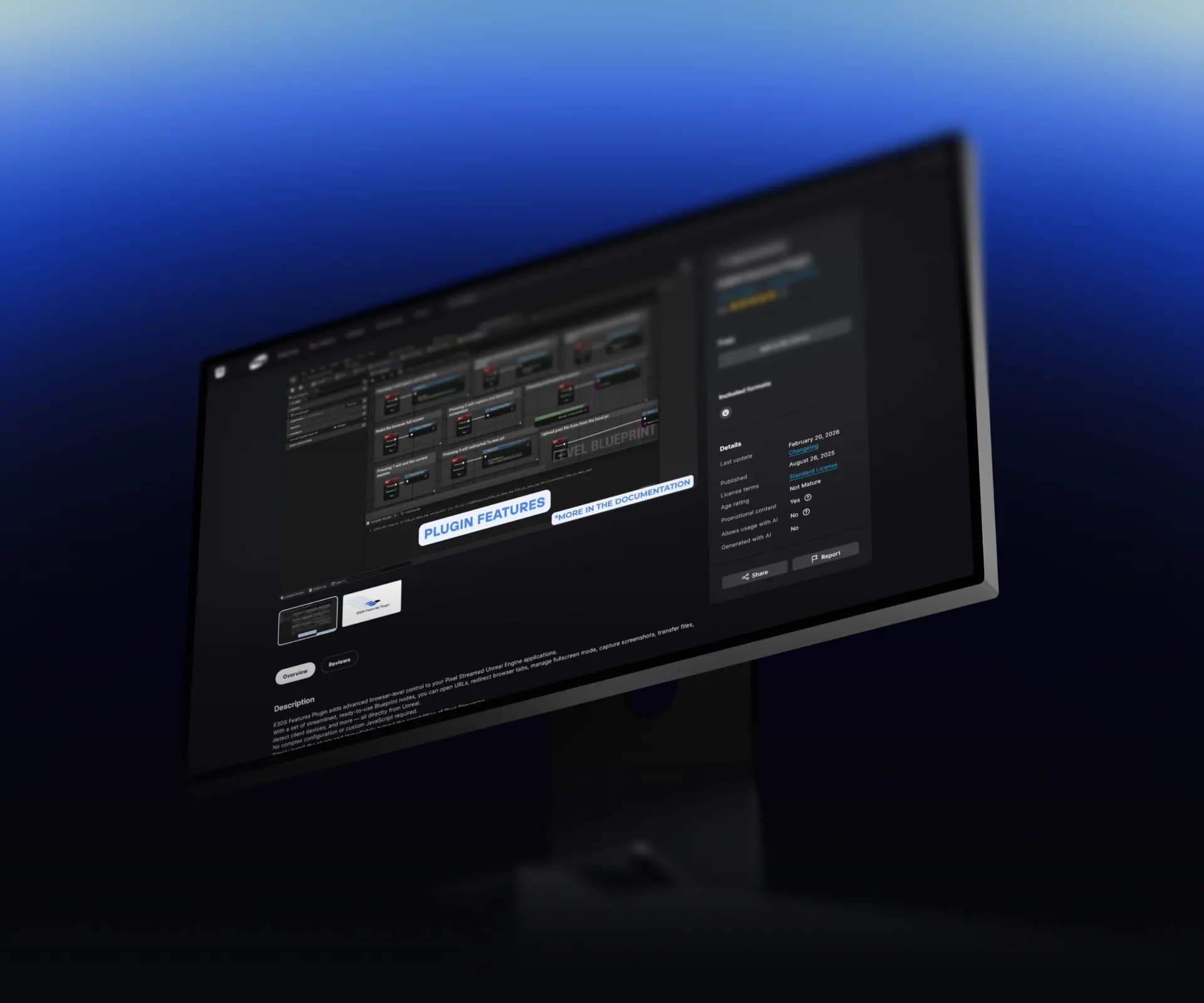
The E3DS Features Plugin gives your Unreal project ready-made Blueprint nodes for the browser-side interactions your streamed app needs — file transfer, URL handling, screenshots, session control, device detection, and more.
Every feature is a single Blueprint node — no hand-written JSON strings or C++ required
Move files both ways between the user's browser and your project directory, or capture screenshots at full engine fidelity
End sessions, disconnect tabs, toggle fullscreen, switch mouse schemes, and open or redirect URLs — all from Blueprint
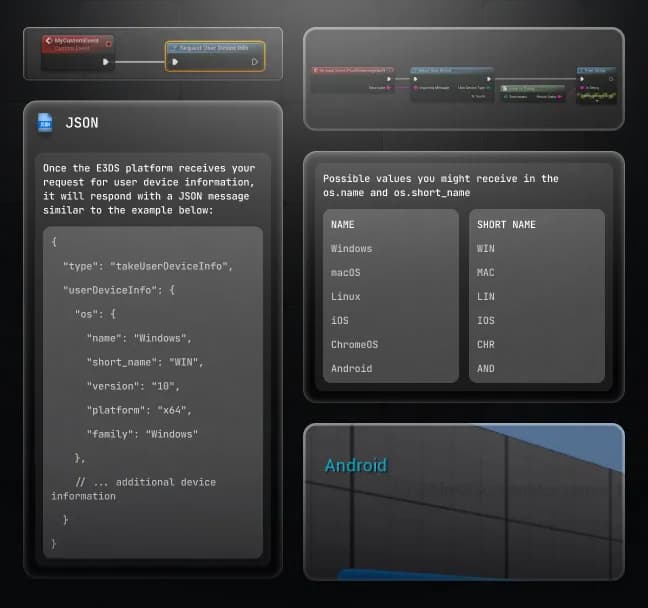
Detect the user's OS, platform, and touch capability in one call to branch into the right game mode and controls
Trusted by enterprises and government teams streaming Unreal to global audiences — without over-provisioning.








Blueprint-Native API
The plugin wraps every browser-side interaction in a Blueprint function you can call from any Actor, Level Blueprint, or event graph. It handles the JSON message construction, the Pixel Streaming input routing, and the browser-side handler.
Drop the plugin's E3DS_PS_Actor into your level once and every feature is available project-wide
Works the same in packaged builds and in remote editor sessions
Blueprint debugger support for stepping through execution at runtime
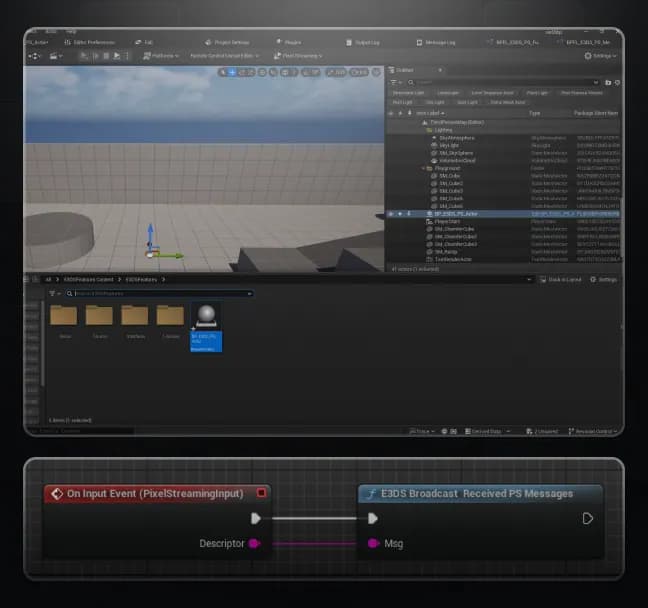
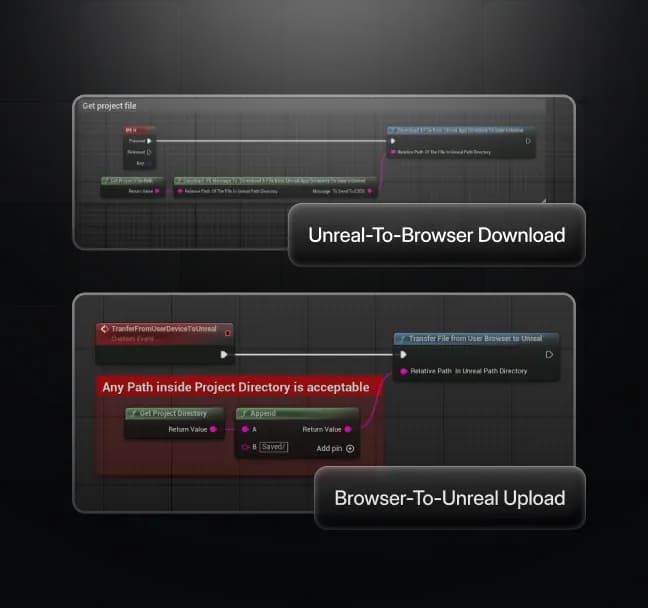
Bidirectional File Transfer and Screenshots
Users upload from their device into your running Unreal app, and your app pushes files back to the browser for download. Screenshots are captured directly by Unreal, bypassing the compressed video stream.
Uploads land in a project-relative path you specify, with the file selection dialog handled by the E3DS platform
Four upload lifecycle events let you drive UI state and avoid timers that hang on a canceled dialog
Screenshots are taken at full engine resolution, independent of the viewer's bandwidth or stream quality
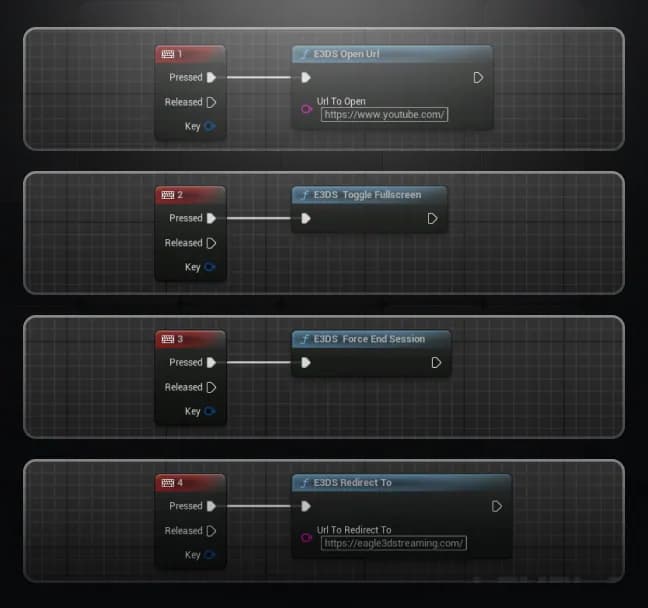
Session and Browser Control
Open new tabs, redirect the current tab, end the streaming session, disconnect a single client, toggle fullscreen, and switch between hovering and locked mouse schemes — one node each.
Open a URL in a new tab or redirect the current tab (Unreal's built-in Launch URL doesn't work through Pixel Streaming)
End the streaming session on demand, or disconnect a single client's tab without ending the session
Toggle fullscreen and switch mouse schemes to match the current game mode
While Asia‑Pacific data‑center capacity is still evolving, hybrid‑style deployments can still be planned: using Eagle as the core streaming backbone and layering in custom edge or caching logic where needed.
Device Detection
A single call returns the connecting user's OS, platform, and touch capability. A helper node parses the response into the values you'll branch on.
Returns OS name (Windows, macOS, Linux, ChromeOS, Android, iOS) plus a touch-device boolean
Parsing is built in — no separate JSON utility plugin required
Call it in BeginPlay to branch game mode selection before the user interacts
Install the Plugin and Start Building
Available from Fab Marketplace. Drop it into your project's Plugins folder, enable it alongside the Pixel Streaming plugin, and the full node library is available in your Blueprint search.
Features Plugin
Free on fab.commacOS, Linux & Windows
Download# Download from Fab
1
Grab the E3DS Features Plugin package from Fab Marketplace
# Add to Plugins Folder
2
Copy the plugin into: YourProject/Plugins/
# Enable the Plugin
3
Enable both "E3DS Features" and "Pixel Streaming" in Plugins
# Add the Actor
4
Drag BP_E3DS_PS_Actor into the current level
# Start Using Nodes
5
Search E3DS nodes in Blueprint graph and start building
We work with companies like Eagle 3D to make pixel streaming a reality — in essence, it's a zero-latency interactive movie. The biggest advantage is accessibility: no powerful computer required, nothing to install, zero barrier to entry.
Finding a streaming partner that could actually do what we needed was the challenge — Eagle was able to integrate and stream for us effectively, even connecting directly with platforms like Shopify and Magento to fit into our existing setup.
Building this wasn't easy at first — I came from a C and desktop/mobile programming background, not web development, so I had to spend months learning what I needed. When the existing cloud tools didn't work the way we needed, I built something different using the pieces that did — and that's how Eagle's infrastructure came to be.
Whether you're exploring pixel streaming, multiplayer, or enterprise
deployments, we're here to answer your questions.
Join Eagle 3D's Discord to get help with your project from the community.
© 2026 Eagle 3D Streaming.
Legal & Trust Center


