Why Your Eagle 3D Streaming Session Stopped Mid-Stream — 5 Causes and Fixes
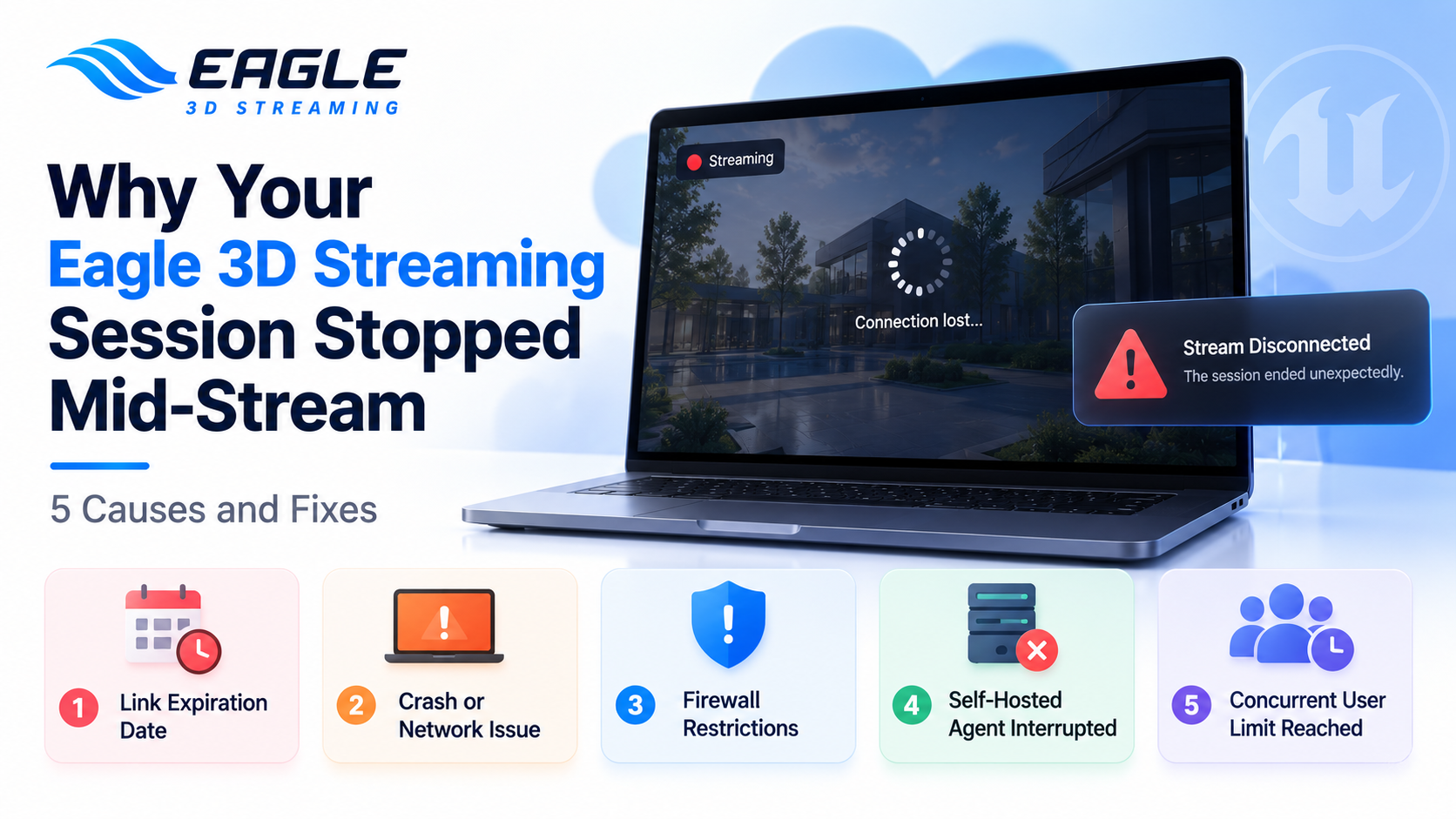
Stream cut out mid-session on Eagle 3D Streaming? This guide covers the 5 most common causes — from session limits to firewalls — with fixes for each.
 Eagle 3d Streaming
September 4, 2026
7 min read
Everything is running fine. The app is loaded, the user is interacting with it, and then the stream just stops. No crash message, no obvious trigger — one moment it's live, the next it's a frozen frame or a blank screen.
Unlike a stream that never connects in the first place, a mid-session disconnect usually isn't a setup problem. It's one of a handful of specific causes, and each one leaves a slightly different fingerprint depending on whether you're streaming from Eagle's cloud infrastructure or from your own hardware.
Does Eagle 3D Streaming Have a Session Time Limit?
Not by default. E3DS has demonstrated ten hours of continuous streaming to show the platform itself doesn't impose a session cutoff. If a session ends on its own, the cause is almost always one of the five below — not a hidden limit.
5 Reasons Your Session Stopped
1. A Link Expiration Date Was Set
What you'll see: The stream was working normally, then suddenly shows an expired-link screen, or access simply stops working after a specific date and time.
Why it happens: The Control Panel includes a Link Expiration feature, mainly built for users on a Prepaid Minute plan who want to cap how long a shared link stays usable. Once you set an expiration date and time on a streaming link's config, that link stops working the moment the clock hits it — even mid-session.
The fix:
Open the Control Panel and check the Link Expiration setting on the specific streaming link (config) that stopped. If a date was set intentionally, that's expected behavior. If not, clear it or push the date out. Keep in mind this setting applies per config, not account-wide — a link can expire while others keep working fine.
(Source: Link Expiration)
2. A Crash or Network Issue Ended the Connection
What you'll see: The stream drops with no pattern — not at a fixed duration, not tied to a specific action, just an occasional disconnect.
Why it happens: Since there's no platform-side session limit, an unexplained drop almost always traces back to one of two things: the application itself crashed on the streamer machine, or there was a network interruption somewhere between the client and the server.
The fix:
Check whether the disconnect coincides with a specific in-app action (a level change, a heavy asset load, a scripted event) — that points to an application crash rather than a network problem. If drops happen regardless of what the user is doing, test the network path instead: switch from Wi-Fi to a wired connection if possible, and rule out VPNs or proxy software that might be interrupting the WebRTC connection.
(Source: Link Expiration)
3. A Firewall Is Blocking Required Domains or Ports
What you'll see: The stream won't connect at all on certain networks — corporate offices and public Wi-Fi are the most common culprits — or it connects and then drops shortly after.
Why it happens: Some networks apply strict firewall rules that block the specific ports or domains pixel streaming depends on. E3DS traffic needs the following whitelisted:
*.eagle3dstreaming.comand*.eaglepixelstreaming.comamazonaws.comandgoogleapis.com— required if any in-game upload system is usedcdn.jsdelivr.net— required if VOIP is used- TURN/STUN servers:
global.turn.twilio.comandglobal.stun.twilio.com
And these ports:
| Port Number | Port Type |
|---|---|
| 3478 | TCP and UDP |
| 5349 | TCP |
| 49152–65535 | UDP |
| 443 | TCP |
The fix:
This one isn't something you can fix from your own machine — it needs your IT department or network administrator. Ask them to whitelist the domains and ports above. If the network restriction is tied to broader content filtering or geographic policy rather than a simple oversight, a VPN can work around it, but expect it to add latency and hurt stream quality, so treat it as a fallback rather than a permanent solution.
(Source: Firewall Restrictions)
4. Your Self-Hosted Streaming Agent (EL) Was Interrupted
What you'll see: This applies specifically to teams streaming from their own hardware using the E3DS Streaming Agent (EL). The stream cuts out completely, sometimes with a black screen first.
Why it happens: EL.exe has a few hard requirements that aren't always obvious. Closing the terminal window stops the stream immediately — the window has to stay open for the entire session. Windows Sleep Mode will also kill the stream if the machine goes idle. And if a maximum session time is configured in the streaming config, the session will end right on schedule even if everything else is working perfectly.
The fix:
Keep the EL.exe terminal window open and disable Sleep Mode in Windows Power Options for that machine. If the stream keeps stopping after a consistent duration, check the max session time setting in that app's config — it may be shorter than expected. One more thing worth knowing: clicking inside the EL window or the Unreal Engine window by accident can capture your input and interfere with the stream. If that happens, pressing Esc once releases it.
(Source: Setting Up E3DS Streaming Agent)
5. The App Was Built on an Unsupported Unreal Engine Version
What you'll see: Frequent, seemingly random crashes — specifically on applications built with Unreal Engine 4.27.
Why it happens: E3DS no longer supports UE 4.27. Applications built on it are likely to encounter significant instability, including frequent crashes, regardless of how well-optimized the app itself is.
The fix:
Upgrade the application to a currently supported version of Unreal Engine. This isn't a configuration tweak — it's a rebuild, but it's the only reliable fix once an app is on 4.27.
(Source: What's New)
Quick Reference: Mid-Session Disconnect Causes
| Cause | Symptom | Fix |
|---|---|---|
| Link expiration set | Stream stops at a specific date/time | Check and adjust the Link Expiration setting in that config |
| Crash or network issue | Random, unpatterned drops | Check for app crashes; test a wired connection; rule out VPN/proxy interference |
| Firewall restrictions | Won't connect on certain networks, or drops shortly after | Have IT whitelist the required domains and ports |
| EL interrupted (self-hosted) | Sudden stop, sometimes with black screen first | Keep terminal open, disable Sleep Mode, check max session time |
| Unsupported UE version (4.27) | Frequent crashes | Upgrade the app to a supported Unreal Engine version |
Most Session Drops Trace Back to Configuration, Not Eagle's Infrastructure
None of these five causes are platform failures. A link expiring on schedule, a firewall doing exactly what it's configured to do, a terminal window that got closed, an engine version that's no longer supported — these are all things within your control to check and fix. Before assuming something's wrong with the streaming service itself, work through this list. In most cases, the fix takes minutes once you know where to look.
Frequently Asked Questions
Q: Does Eagle 3D Streaming have a maximum session length? No. The platform has demonstrated ten continuous hours of streaming with no built-in cutoff. If your session ends unexpectedly, it's almost always a link expiration setting, a crash, or a network issue — not a platform-imposed limit. (Source: Link Expiration)
Q: My company's Wi-Fi won't let me connect to my streaming app. What's going on? This is almost always a firewall issue on corporate or public networks. Ask your IT department to whitelist *.eagle3dstreaming.com, *.eaglepixelstreaming.com, and the TURN/STUN domains and ports listed above. (Source: Firewall Restrictions)
Q: I'm streaming from my own GPU machine and it keeps cutting out. Where do I start? Check three things first: whether the EL.exe terminal window got closed, whether Windows Sleep Mode kicked in, and whether a maximum session time is set in your streaming config. These three cover the large majority of self-hosted disconnects. (Source: Setting Up E3DS Streaming Agent)
Need help?
If you need any assistance, feel free to reach out through any of the following channels:
🛠️ Support Portal: Contact Our Support Team
💬 Discord Community (Faster Support): Join Our Discord Community
📧 Email Support: support@eagle3dstreaming.com
Follow us on:
Share this article