Pixel Streaming No Sound: Why Streams Start Muted and What to Do
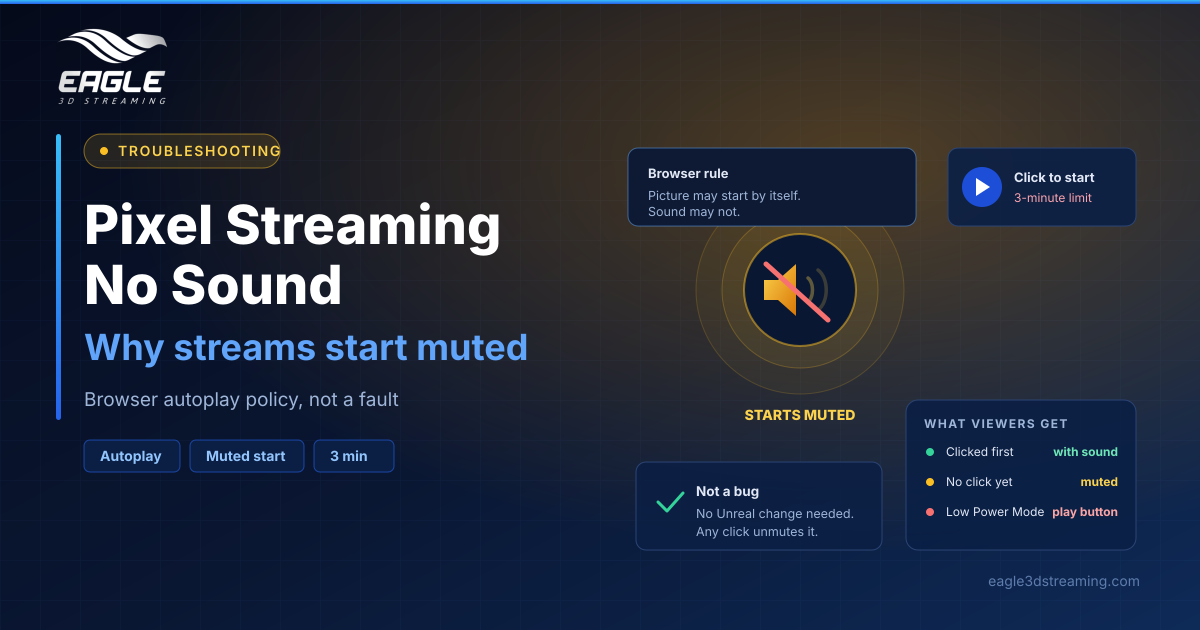
Pixel streaming no sound is almost always browser autoplay policy, not a bug. See what viewers get, why it happens, and how to handle it well.
 Rafshan Tashin
November 20, 2026
4 min read
A pixel streaming no sound report is one of the most common support messages teams get, and it is usually not a fault at all. Your app produces audio normally. The browser simply holds it back until the viewer interacts with the page. (Audio and microphone)
The rule behind it
Autoplay is really two rules, not one. Video may start on its own, but audio may not, and Chrome, Edge, Firefox and Safari all enforce it. Sound becomes allowed only after a click, a tap or a key press somewhere on the page. (Why autoplay with sound is not natural)
There is a sharp edge worth knowing. If a page asks for sound before any interaction, the browser refuses the entire request rather than quietly playing muted, so the video does not start either. MDN's autoplay guide covers how browsers decide this and how to detect the policy in code.
The reasoning is ordinary courtesy. Viewers may sit beside someone sleeping, work in a quiet office, or open a link they did not expect to make noise.
What your viewers actually see
Eagle's player handles the rule in four stages. It tries picture and sound together, which works instantly if the viewer already clicked anywhere on the page. If sound is refused, the video pauses and restarts muted within milliseconds, showing a sound button in the bottom-right corner. If autoplay itself is switched off, a play button appears instead. And if a future browser rule still refuses, the player pauses briefly, restarts muted and shows the sound button again.
| Viewer situation | What happens |
|---|---|
| Clicked before the stream was ready | Starts with sound |
| Chrome, Edge, Firefox or Safari, no click yet | Starts muted, sound button shown |
| iPhone or iPad in Low Power Mode | Play button starts picture and sound |
| Safari "Never Auto-Play" or Firefox "Block Audio and Video" | Play button starts picture and sound |
Unmuting needs nothing special. The sound button, a click inside the streaming area, or a control in your own interface all count as the interaction the browser wants.
The three-minute trap
This one catches demos. When the play button appears, the viewer has three minutes to press it. Miss that window and the session ends as abandoned, showing "Video session interrupted because the play button was not pressed" along with a Try again button. (Why autoplay with sound is not natural)
So if you email a link before a client call, tell them to press play when they open it rather than opening it early and walking away. Our guide to why sessions stop mid-stream covers the other ways a session ends unexpectedly.
Designing your page around it
You cannot override the rule, and no developer workaround forces sound before interaction. Websites cannot override Low Power Mode either. What you can do is make the first interaction natural: put a "Start the experience" button on your page, and by the time the stream loads the viewer has already clicked. Our comparison of iframe vs Web SDK embedding covers where that button lives in each approach.
When it really is a fault
One case is not autoplay. If "Use Browser side Microphone" is switched on and the viewer blocks or ignores the permission prompt, the stream can hang at start-up and fail after a few minutes. Turn the setting off when your app does not need a microphone, or have the viewer set Microphone to Allow in site settings and reload. Our microphone setup guide walks through the rest.
FAQs
Is pixel streaming no sound a bug in my Unreal app?
Rarely. The app produces audio, and the browser withholds it until the viewer interacts. (Audio and microphone)
Do I need to change anything in Unreal to fix the muted start?
No. It needs no configuration and no project change.
Why does nothing play at all on an iPhone sometimes?
Low Power Mode blocks autoplay, so the play button appears and starts both picture and sound.
Can I make sound start automatically?
Only if the viewer has already clicked on the page before the stream is ready.
What happens if nobody presses play?
After three minutes the session ends as abandoned and offers a Try again button.
Conclusion
Pixel streaming no sound is browser policy doing its job. Expect muted starts, make the sound button easy to find, give viewers something to click before the stream loads, and warn anyone joining a timed demo about the three-minute play window.
Building something audio-driven? Try a live demo or start a free trial.
Need help? support@eagle3dstreaming.com · Discord