DLSS and Pixel Streaming: Does It Help, and How to Set It Up
Does DLSS help pixel streaming? Yes, by freeing GPU headroom on the machine running your app. Here is the Unreal setup and the real caveats.
 Rafshan Tashin
November 20, 2026
4 min read
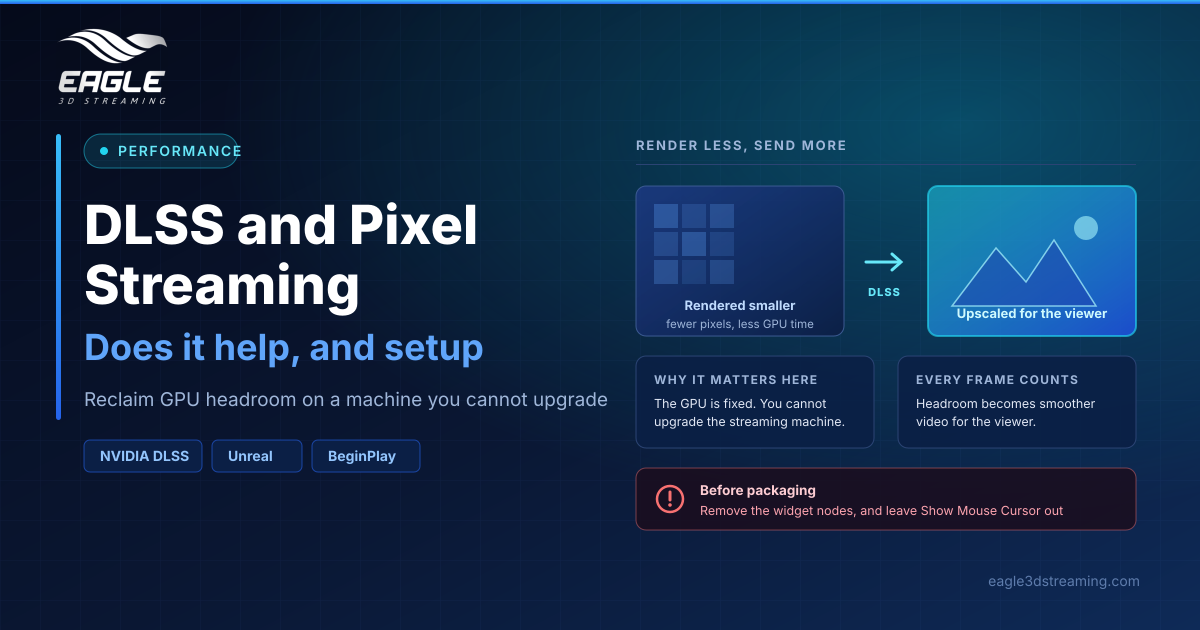
Yes, DLSS helps pixel streaming, and the reason is specific. Your streamed app runs on one fixed GPU in the cloud, and you cannot add a better card mid-project. DLSS renders fewer pixels and reconstructs the rest, which hands that headroom back as smoother video for the viewer. (NVIDIA DLSS)
Why DLSS matters more in streaming than on a desktop
On a desktop, extra frames beyond the monitor's refresh rate are wasted. In pixel streaming, every frame your app produces can be sent to the viewer, so rendering headroom turns directly into a steadier stream.
The constraint is what makes it worth doing. A local user can upgrade their graphics card. Your app on a streaming machine gets the GPU it is allocated, so reclaiming performance in software is the only lever you have.
How do I enable DLSS in an Unreal project?
Six steps:
- Download the DLSS plugin from NVIDIA, matching your Unreal version
- Copy the package's
DLSS,DLSSMoviePipelineSupport,NISandStreamlinefolders into your project'sPluginsdirectory - Copy the DLSS widget plugin from
plugin → samples → Plugins - Clone the Blueprint folder from the sample content
- Under Edit → Plugins, enable Pixel Streaming, DLSS (NVIDIA) and NVIDIA UI Widgets Lib, then restart the editor
- Show the widget from the Level Blueprint so you can toggle DLSS modes while the app runs
Eagle runs a live DLSS demo if you want to see the result before building it yourself.
How do I pick a quality mode?
Test in Standalone Game mode, press H to hide the overlay, and try the modes against your own content. Compare frame rates using the overlay rather than judging by eye, because DLSS trades a small amount of reconstruction quality for GPU time and the difference is easier to measure than to see.
Once you have chosen, set that mode at Event BeginPlay using the Set DLSS-SR Mode node. Older plugin versions call it Set DLSS Mode.
What breaks if you forget the caveats?
Two things catch people before packaging.
The widget is a development tool, so remove its nodes before you package the build. Leaving it in ships a debug control to your viewers.
The Show Mouse Cursor node is for editor testing only. In a streamed build it produces a slow, Unreal-drawn cursor, which looks worse than the browser cursor your viewers would otherwise get.
Where DLSS fits in the wider performance picture
DLSS is one lever among several, and it works on the rendering side only. If your problem is a slow first frame rather than a low frame rate, the fix lives elsewhere: see our guide to pixel streaming load time. If frames drop during a session, work through low FPS in pixel streaming and the complete performance optimization guide.
Bandwidth is a separate axis again, handled by your codec choice rather than by DLSS.
FAQs
Does DLSS work with pixel streaming?
Yes. The documented setup enables Pixel Streaming and DLSS together, and Eagle hosts a running demo. (NVIDIA DLSS)
How much frame rate does DLSS add?
The documentation gives no figures, which is why you measure it on your own content with the overlay.
Which GPUs support DLSS?
DLSS is an NVIDIA RTX feature. The Eagle documentation describes the GPU only as the machine allocated to your app, so confirm with support for your setup.
Do I need to remove anything before packaging?
Yes. Remove the DLSS widget nodes, and do not ship Show Mouse Cursor.
Does DLSS reduce bandwidth?
No. It frees GPU time. Bandwidth is governed by codec and resolution.
Conclusion
DLSS pixel streaming is worth setting up precisely because the GPU is fixed. Install the plugin, expose the widget while testing, measure modes with the overlay instead of your eyes, lock your chosen mode at BeginPlay, then strip the widget before you package.
Want to see it running first? Try the pixel streaming demos or book a demo meeting.
Need help? support@eagle3dstreaming.com · Discord