Pixel Streaming Codec: H.264 vs AV1 vs VP9 vs VP8
Which pixel streaming codec should you use? Compare H.264, AV1, VP9 and VP8 on bandwidth, GPU support, browser support and viewer battery.
 Rafshan Tashin
November 20, 2026
5 min read
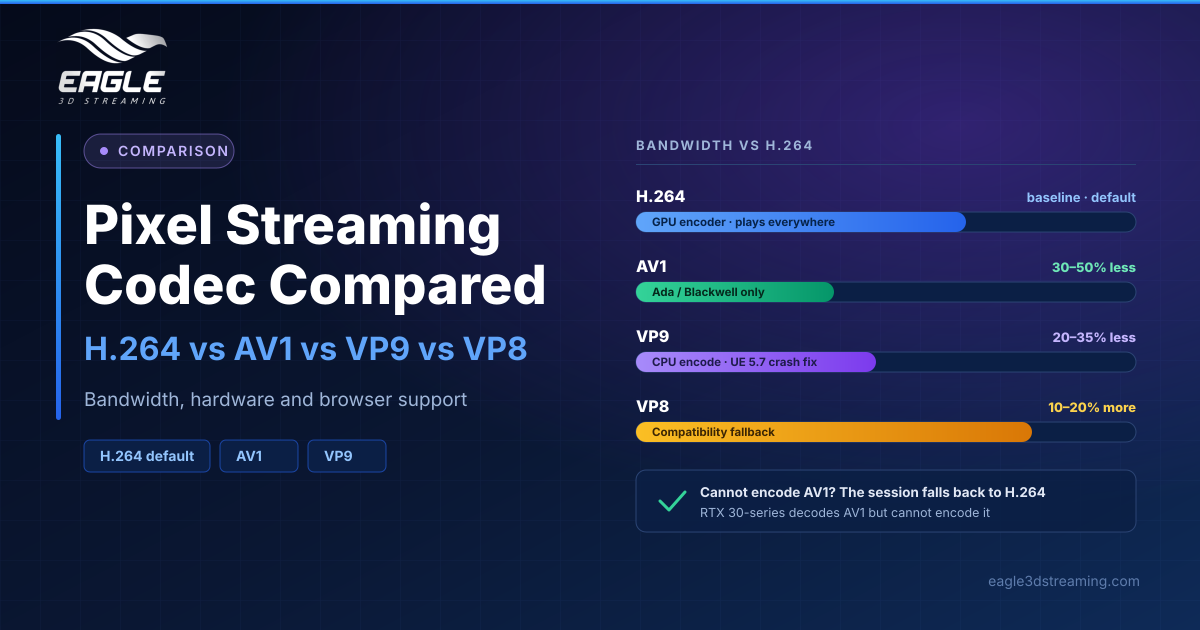
The default pixel streaming codec on Eagle 3D Streaming is H.264, and for most applications leaving it alone is the right call. AV1 cuts bandwidth by 30 to 50% but needs an RTX 40-series GPU or newer to encode. VP9 cuts it by 20 to 35% but runs on the CPU, competing with your app. VP8 uses 10 to 20% more bandwidth and exists as a compatibility fallback.
Which codecs can pixel streaming use?
Four: H.264, AV1, VP9 and VP8. H.264 is the default, and a blank setting means H.264.
The split that matters is where encoding happens. H.264 and AV1 use the GPU's dedicated video encoder, so they cost your app no frame rate. VP9 and VP8 encode in software on the CPU, which competes with your application for the same cores.
How do the four codecs compare?
| Codec | Can encode it | Can play it | Bandwidth vs H.264 | Trade-off |
|---|---|---|---|---|
| H.264 | Every machine (GPU) | Everything | Baseline | None |
| AV1 | NVIDIA Ada and Blackwell only | Recent Chrome, Edge, Firefox, Safari | 30–50% less | Harder for viewers to decode |
| VP9 | Every machine (CPU) | Chrome, Edge, Firefox; patchier Safari | 20–35% less | Uses CPU your app wants |
| VP8 | Every machine (CPU) | Everything, including old devices | 10–20% more | Compatibility, not quality |
Ada and Blackwell means the RTX 40-series, L4, L40S, RTX 4000–6000 Ada, and the RTX 50-series.
Viewer-side load differs too. H.264 decodes in hardware on essentially every device. AV1 is harder, and older devices fall back to software decoding, which drains battery. VP9 sits in the middle and VP8 is the lightest.
Which codec is best at low bandwidth?
It depends on the band:
- 25 Mbps and up: H.264, AV1 and VP9 all deliver full quality
- 10–25 Mbps: H.264 is good, AV1 is steadier on shared connections, VP8 softens first
- 3–10 Mbps: H.264 goes noticeably soft on detailed scenes, and AV1 has its clearest advantage if the phone can decode it without overheating
- Under 3 Mbps or unstable: H.264 is soft but predictable, AV1 looks better while the connection holds but handles change badly, and VP8 is the most forgiving while looking worst on good connections
How do I change the codec?
Open your app in the Control Panel and click the pencil icon beside the stream link's configuration. Turn on Advanced Options, because the Developer tab stays hidden until you do. Open Developer, find Codec, choose one and save.
Changes reach viewers the next time they open the stream. Anyone already watching keeps the old codec until they reload.
What happens if the machine cannot encode AV1?
The session falls back to H.264 automatically, and the substitution is recorded. This check runs per session on the machine running your app, and it only applies to AV1: H.264, VP9 and VP8 are never refused.
A viewer-side check exists in the code but is not active yet, because the player does not send its decode capability. A missing answer is never treated as a refusal.
Why does AV1 show as H.264 in every session?
Almost always an RTX 30-series card. The 30-series can decode AV1 but cannot encode it, so every session substitutes H.264.
To see what actually streamed rather than what you requested, check Monitoring for the codec each session negotiated, or the application log for the codec the app started with. The setting itself only records your request.
The Unreal Engine 5.7 crash fix
If streams on UE 5.7 close by themselves, often on unstable connections, switching the affected stream to VP9 fixes it. Unreal Engine 5.8 apps already include the protection and need no change.
VP9 looks slightly less sharp and shifts work to the CPU, so rather than changing the codec for everyone, create a second configuration set to VP9 and share that link only with the affected client.
Should you change the codec at all?
For most applications, no. Consider AV1 only when both conditions hold: your audience is on phones or congested networks, and your machines run RTX 40-series cards or newer. Then test it against your own app and your own viewers before switching.
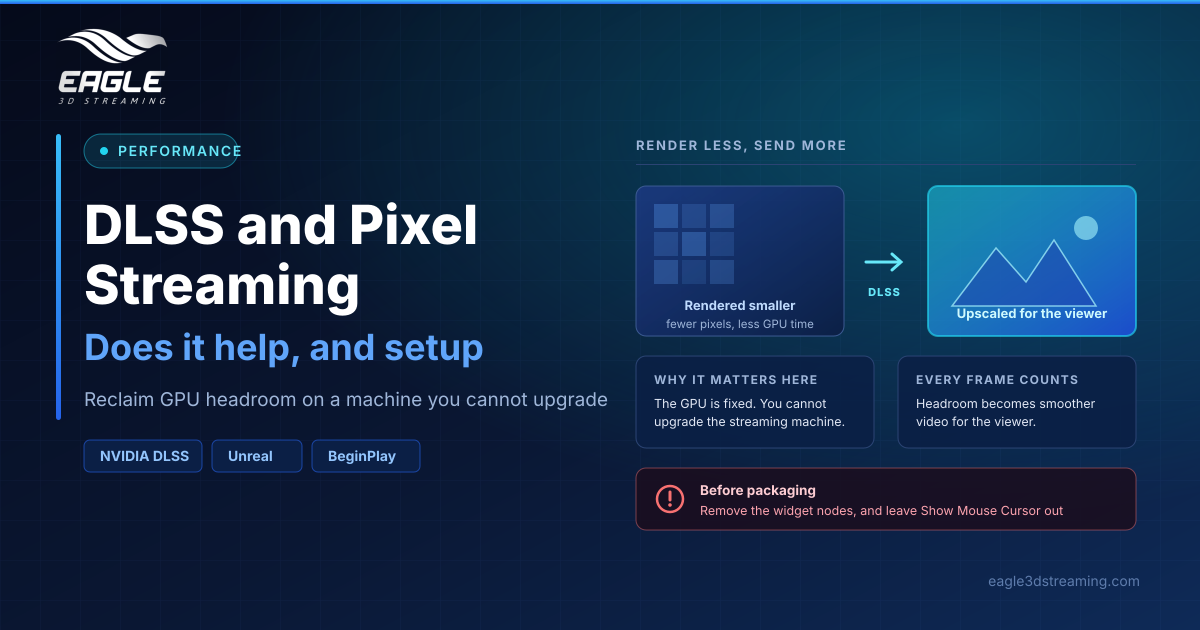
Worth knowing if you run on your own cloud VMs: the ready-made configurations use T4, A10, V100 and Quadro RTX cards, all of which predate the 40-series, so AV1 falls back to H.264 there. For how resolution interacts with all of this, see pixel streaming video quality and our guide to black bars and the aspect ratio.
FAQs
What is the default pixel streaming codec?
H.264. A blank codec setting also means H.264.
Does AV1 reduce bandwidth?
Yes, by 30 to 50% compared with H.264, when the GPU can encode it.
Does VP9 slow my app down?
It can. VP9 encodes on the CPU, so it competes with your application for cores.
Which codec works on the oldest devices?
VP8, at the cost of 10 to 20% more bandwidth than H.264.
Can I set a different codec for one client?
Yes. Create a second configuration with that codec and share only that link.
Conclusion
Your pixel streaming codec choice comes down to hardware and audience. H.264 is the safe default on every machine. AV1 is the bandwidth win when you have Ada or Blackwell GPUs and mobile viewers. VP9 is the UE 5.7 crash fix and a CPU-cost compromise. VP8 is a fallback for old devices.
Not sure which fits your audience? Talk to a specialist or start a free trial and test it.
Need help? support@eagle3dstreaming.com · Discord