When Should You Use Pixel Streaming for Multiplayer Unreal Engine Games
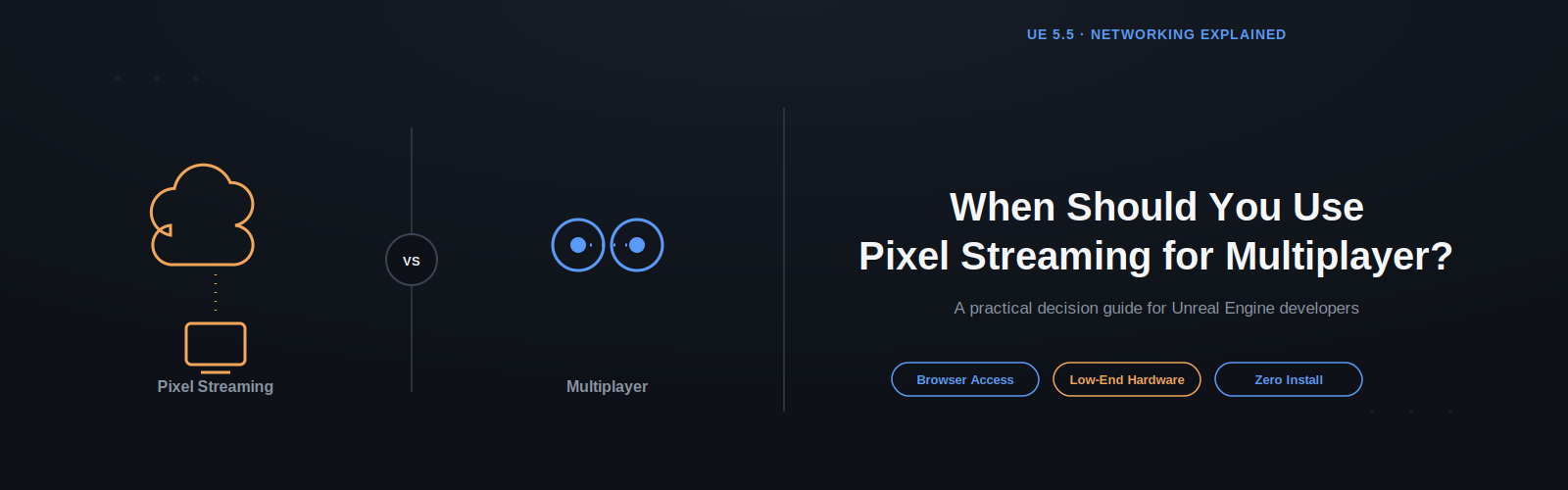
Use pixel streaming with a multiplayer Unreal Engine game when players need to join without installing anything, when they lack the hardware to run the game locally, or when you need to reach a device your build doesn't natively support. In every other case, standard dedicated-server multiplayer, no pixel streaming involved, is the simpler, cheaper, lower-latency choice. In our last blog, Unreal Engine Multiplayer vs Pixel Streaming, we established that these are two separate technologies solving two separate problems: multiplayer connects players to a shared server, while pixel streaming renders in the cloud and streams video to a device. This post breaks down exactly when combining the two makes sense.
 Fakhrul Islam
October 7, 2026
5 min read
What Is Pixel Streaming, Exactly?
Pixel streaming is a cloud-rendering technology that runs Unreal Engine on a remote server and streams the rendered video output to a player's device, similar to a live video call. The player's device never runs the game engine itself, it only decodes video and sends back input. This is why pixel streaming can reach devices that could never run your packaged build natively.
When Should You Use Pixel Streaming in a Multiplayer Game?
1. Do your players need browser or mobile access without installing a client?
Yes → use pixel streaming. If part of your audience needs to join from a mobile browser, tablet, or any device that can't run your executable, pixel streaming lets them play by rendering on the cloud and streaming to whatever device they have, no install required.
Typical use cases: browser-based multiplayer lobbies, trade-show demos joined from a phone, training simulations accessed through a company intranet.
2. Do your players lack dedicated gaming hardware?
Yes → use pixel streaming. If your multiplayer experience is graphically demanding and a meaningful share of your audience is on integrated graphics or low-power laptops, pixel streaming offloads rendering to the cloud so every player gets the same visual fidelity regardless of local hardware.
Typical use cases: enterprise visualization tools, multiplayer product configurators, training software on standard-issue office laptops.
3. Do you need a zero-install, instant-join experience?
Yes → use pixel streaming. Some scenarios prioritize frictionless access over raw performance — trade show kiosks, sales demos, marketing activations. Pixel streaming lets someone click a link and be inside a live multiplayer session in seconds, with nothing to download.
Typical use cases: product launches, investor demos, pop-up interactive installations.
4. Do you need to prevent players from accessing the packaged build directly?
Yes → use pixel streaming. Because the application never leaves your server, pixel streaming protects proprietary assets, unreleased content, or sensitive internal tools from ever being extracted from a client executable.
Typical use cases: pre-release builds shown to press or partners, internal enterprise tools handling sensitive data.
5. Do you need cross-platform reach without native ports?
Yes → use pixel streaming. Native porting to every platform (console, mobile, smart TV, web) is expensive. A single cloud-rendered build reaches essentially any device with a browser, without maintaining five separate native builds.
Typical use cases: cross-platform multiplayer trials, cloud-gaming-style distribution for niche platforms not worth a full native port.
When Should You Skip Pixel Streaming?
Skip pixel streaming when your players are on capable desktop hardware, when latency is critical, or when minimizing hosting cost matters more than universal accessibility. Specifically:
- Players can already download and run a native client — there's no accessibility problem to solve.
- Hosting cost per player matters — cloud GPU rendering instances cost significantly more per concurrent user than a standard dedicated game server, which only runs game logic, not graphics.
- Your audience already owns capable hardware — installing a client isn't a real barrier for them.
If none of the five scenarios above apply, standard multiplayer networking, covered in our previous guide, remains the better default.
How Do You Decide? A Quick Checklist
- Does any part of my audience need access without installing anything? → Pixel streaming.
- Will a meaningful share of players lack the hardware to run my game locally? → Pixel streaming.
- Is low latency more important than universal accessibility (e.g., a competitive game)? → Standard multiplayer.
- Am I trying to minimize hosting cost per concurrent player? → Standard multiplayer.
- Do I need to keep the build off the player's device entirely? → Pixel streaming.
Most projects land clearly on one side. A smaller group — enterprise multiplayer tools serving both office laptops and dedicated workstations — end up supporting both paths at once.
Can You Combine Native Multiplayer and Pixel Streaming in One Project?
Yes — a native client and a pixel-streamed client can connect to the same multiplayer server. It's increasingly common to offer a native client (using the dedicated server setup from our previous guide) for players with capable hardware, plus a pixel-streamed version of the same session for anyone joining from a browser or underpowered device. Pixel streaming simply becomes an alternative client that renders in the cloud instead of locally, you get low latency and low cost for your core audience, while still reaching anyone who joins from a browser or phone.
Frequently Asked Questions
Is pixel streaming more expensive to run than standard multiplayer? Generally, yes. Cloud GPU instances needed for rendering cost significantly more per concurrent user than standard dedicated game servers, which only process game logic and never render graphics.
Can I offer both a native client and a pixel-streamed version of the same multiplayer game? Yes. Both can connect to the same multiplayer server. This is common for enterprise or cross-platform projects that need to serve both capable hardware and browser-only users.
What's the single biggest reason to choose pixel streaming for a multiplayer project? Removing the installation barrier, letting players join instantly from a browser or mobile device without downloading anything.
Missed our first post in this series?
Read Unreal Engine Multiplayer vs Pixel Streaming: Why They're Completely Different for the full breakdown of how the two technologies differ and how to set up standard multiplayer without pixel streaming.
For more details on pixel streaming setup and configuration, check out the official documentation: docs.eagle3dstreaming.com/wiki/multiplayer-pixel-streaming
Share this article